Pairing a classic serif with a modern sans serif sounds simple enough until you try it and the result looks like two strangers forced to share a page. Garamond and sans serif combinations have been a go-to choice for designers for decades, and there's a good reason for that. Garamond brings warmth, elegance, and centuries of typographic credibility. A well-chosen sans serif adds clarity and modern contrast. When the pairing works, text feels both refined and easy to read. When it doesn't, the design feels disjointed. This article breaks down how to make garamond and sans serif font pairing combinations actually work in your projects.
Why Do Garamond and Sans Serif Fonts Pair So Well Together?
Garamond is a transitional serif typeface with roots in 16th-century France. Its letterforms have moderate contrast between thick and thin strokes, open counters, and a slightly condensed structure. These qualities give it a natural elegance that doesn't feel stiff.
A sans serif companion works because of contrast. The absence of serifs creates a visual break from Garamond's detailed strokes. This contrast helps readers quickly distinguish between headings and body text, or between primary and secondary information. The pairing follows a principle typographers call concordance and contrast two typefaces that share some underlying proportions but differ enough in style to create hierarchy.
Which Sans Serif Fonts Look Best With Garamond?
Not every sans serif works. Fonts that are too geometric or too quirky can clash with Garamond's humanist character. The best matches tend to be sans serifs with slightly humanist proportions or clean, neutral forms. Here are some proven options:
- Helvetica Neutral and versatile. Its even weight and clean shapes let Garamond take the spotlight in body text while Helvetica handles headlines and UI elements. You can see real-world examples of how Garamond works with Helvetica in different contexts.
- Futura Geometric but not cold. Its even stroke weight contrasts with Garamond's modulation, creating a pairing that feels both classic and forward-looking.
- Gill Sans A humanist sans serif with subtle stroke variation. Its proportions echo some of Garamond's structure, making the two feel related rather than random.
- Avenir Clean and modern with slightly rounded forms. Works well for brands that want Garamond's tradition paired with a contemporary feel.
- Open Sans A practical, highly legible option for web projects. Its neutrality makes it a safe pick when you're unsure. If you want more options, check out this breakdown of the best sans serif typefaces to complement Garamond.
How Should I Assign Roles to Each Font?
A common approach is to let Garamond handle the body text and use the sans serif for headings, captions, or interface labels. Garamond's readability at smaller sizes makes it a strong body text choice, while the sans serif's clean shapes stand out at larger sizes.
That said, the reverse can work too. Some designers set headings in Garamond for a refined, editorial tone and use a sans serif for body text on screens where legibility matters more. The key is to assign a clear role to each font and stick with it throughout the design.
A Simple Role Assignment That Works
- Primary font (headings, hero text, pull quotes): The font that carries the brand's personality.
- Secondary font (body copy, captions, navigation): The font that prioritizes readability and clarity.
- Optional accent (labels, buttons, metadata): Usually the sans serif at a different weight or size.
What Size and Weight Combinations Work Best?
Size differences matter as much as font choice. If Garamond is set at 16px for body text, your sans serif headings should be noticeably larger around 28px to 36px to create clear hierarchy. A slight size overlap between the two fonts can make the layout feel muddy.
Weight is another factor. Garamond's Regular weight has visible thin strokes, so pairing it with a Bold or Semi-Bold sans serif creates a stronger contrast than pairing two regular weights. Avoid setting both fonts at the same weight and size that's where most pairings fall flat.
Where Do Designers Use Garamond and Sans Serif Pairings?
This combination shows up across a range of design contexts:
- Editorial design Book covers, magazine layouts, and newspaper supplements often pair Garamond body text with sans serif headlines for a polished, literary feel.
- Brand identity Luxury brands and heritage companies use this pairing to signal tradition without feeling outdated. Learn more about how luxury brands approach Garamond and sans serif pairings.
- Web design Many websites use Garamond (or its digital cousin, EB Garamond) for article body text with a sans serif for navigation and buttons.
- Packaging Wine labels, cosmetics, and gourmet food packaging lean on this pairing for its upscale, timeless look.
What Mistakes Should I Avoid?
Several common errors can break an otherwise solid pairing:
- Using too many weights. Stick to two or three weights per font. Four Garamond weights plus four sans serif weights creates visual noise.
- Ignoring x-height differences. If your sans serif has a much taller x-height than Garamond, the two will look mismatched at the same font size. Adjust sizes to compensate.
- Picking a sans serif that's too decorative. A quirky display sans serif will compete with Garamond's personality rather than complement it.
- Skipping real text testing. Fonts look different in a headline mockup than they do in a paragraph of running text. Always test your pairing with actual content.
- Forgetting about web font loading. If you're using both fonts online, make sure they load correctly and have proper fallbacks specified in your CSS.
Can I Use Garamond With More Than One Sans Serif?
Technically, yes, but it adds complexity. A three-font system Garamond, a primary sans serif, and a secondary sans serif can work for large-scale projects like brand systems or multi-section publications. For most smaller projects, two fonts are enough. Adding a third font without a clear reason tends to dilute the design rather than strengthen it.
How Do I Test My Pairing Before Committing?
Before finalizing your font combination, run it through these checks:
- Set a full paragraph in Garamond and a heading in your chosen sans serif side by side. Do they feel like they belong on the same page?
- Print it out. Screen rendering can flatter or punish fonts differently than print does.
- Show it to someone who isn't a designer. If they notice the fonts are "different" but don't feel distracted, the pairing is working.
- Test at multiple sizes. A pairing that looks great at poster size might break down at 12px on a mobile screen.
For a broader look at what makes Garamond work well across different design applications, this Typewolf resource on Garamond is a useful reference.
Quick Checklist for Your Next Garamond + Sans Serif Project
- Choose your Garamond version first (Adobe Garamond, EB Garamond, or Garamond Premier).
- Pick one sans serif with complementary proportions not competing style.
- Assign a clear, consistent role to each font.
- Test the pairing at the sizes and weights you'll actually use.
- Limit yourself to two or three total weights across both fonts.
- Check x-height alignment and adjust sizes if needed.
- Preview with real content, not placeholder text.
Start by picking one combination from the list above and setting a simple two-font layout with your actual project content. If the text feels balanced and the hierarchy is clear without you having to think about it, you've found your pairing.
Download Now Best Modern Sans Serif Fonts to Pair with Garamond
 Best Sans Serif Typefaces That Perfectly Complement Garamond
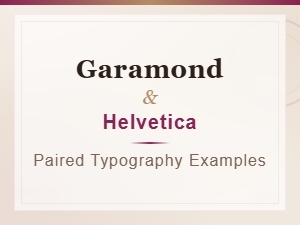 Garamond and Helvetica Typography Pairing Examples
 Luxury Brand Fonts: Pairing Garamond with Clean Sans Serif
 Garamond Font Pairing for Corporate Brand Identity
 Professional Sans Serif Fonts That Perfectly Complement Garamond