Garamond has been a favorite for body text, book typography, and elegant branding for centuries. But on its own, it can feel traditional even dated if the rest of your design doesn't bring a fresh counterpoint. That's exactly why finding a modern sans serif that pairs well with Garamond is one of the most practical typography questions designers, marketers, and content creators face. The right sans serif companion gives your layout contrast, readability on screens, and a contemporary edge without clashing with Garamond's refined character. Get the pairing wrong, and your design looks disjointed. Get it right, and the two typefaces elevate each other.
Why does font pairing with Garamond actually matter?
Garamond is a serif typeface with roots in 16th-century France. It has a graceful, slightly organic feel soft curves, moderate contrast between thick and thin strokes, and a relatively small x-height. These qualities make it beautiful for long-form reading in print. But they also mean it needs careful handling on digital screens, where legibility at small sizes can be a challenge.
A modern sans serif brings structure, geometric clarity, and screen-friendly sharpness to the table. When you combine the two, you create visual hierarchy: Garamond handles the refined, literary tone while the sans serif delivers information quickly in headings, navigation, or UI elements. This is the same principle behind most well-designed magazines, websites, and brand systems pair a classic serif with a clean sans serif to get the best of both worlds.
Many designers look for specific Garamond and sans serif font pairing combinations because the wrong contrast can make text blocks feel chaotic or bland.
What makes a sans serif actually work with Garamond?
Not every sans serif will sit well next to Garamond. A good companion shares certain proportional DNA without mimicking the serif's details. Here's what to look for:
- Similar x-height. Garamond has a notably low x-height compared to many modern typefaces. If the sans serif's lowercase letters are dramatically taller, the two will feel unbalanced side by side.
- Comparable stroke weight. Garamond's strokes are on the lighter side. A very heavy, ultra-bold sans serif will overpower it. Aim for a sans serif with a regular weight that feels harmonious at the same point size.
- Neutral to geometric character. Highly humanist or quirky sans serifs can compete with Garamond's personality rather than complement it. Geometric or neo-grotesque designs tend to create cleaner contrast.
- Good performance at small sizes. Since Garamond often handles body text, the sans serif typically takes on headings, captions, or UI labels. It needs to be sharp and legible at both large and small sizes.
Which modern sans serifs pair best with Garamond?
Several well-known sans serifs work reliably alongside Garamond. Each brings a slightly different mood, so the best choice depends on your project.
Futura
Futura is a geometric sans serif designed in the 1920s. Its clean circles and even strokes give it a distinctly modern, almost architectural feel. Paired with Garamond, it creates sharp contrast the organic warmth of Garamond against the precise geometry of Futura. This combination works well for luxury branding, editorial layouts, and fashion-related design.
Helvetica
Helvetica is the definition of a neutral sans serif. It doesn't impose a strong personality, which makes it an easy, safe match for Garamond. The pair works across corporate presentations, academic publications, and clean web layouts. Helvetica's wide availability and multiple weights make it practical, too.
Avenir
Avenir sits between geometric and humanist design. It's slightly warmer than Futura but still structured enough to feel contemporary. With Garamond, Avenir creates a friendly but professional tone a good fit for nonprofit websites, publishing platforms, and brand guidelines that need to feel approachable.
Montserrat
Montserrat is a popular Google Font with geometric roots inspired by Buenos Aires signage. Its slightly wider letterforms and generous spacing give it a bold, confident presence in headings. When used alongside Garamond for body text, Montserrat adds a strong visual anchor without looking heavy.
Open Sans
Open Sans was designed specifically for legibility across print and screen. Its neutral, humanist forms blend smoothly with Garamond's classical proportions. This is a reliable choice for websites where both typefaces will appear at various sizes think blog layouts, product pages, and documentation.
Lato
Lato has semi-rounded details that give it a touch of warmth while remaining clean. It's less rigid than Helvetica and less geometric than Futura. Paired with Garamond, Lato creates a balanced, modern look that suits startups, portfolios, and creative agencies.
For a deeper breakdown of specific sans serif typefaces that complement Garamond, you can explore more examples organized by use case.
How do you actually use these pairings in a real project?
Knowing the right fonts is only half the job. Here's how to apply a Garamond + sans serif combination effectively:
- Assign clear roles. Use Garamond for body text, long-form content, or pull quotes. Use the sans serif for headings, subheadings, buttons, navigation, and captions. Don't mix roles that's what creates confusion.
- Set size and weight deliberately. Because Garamond's x-height is small, bump up its font size slightly compared to what you'd use for other serifs. If your sans serif heading is 32px, Garamond body text might need 17–18px instead of the typical 16px to feel proportional.
- Check line spacing. Garamond generally needs generous line-height (around 1.5–1.6 for body text) to stay readable. Your sans serif headings can be tighter 1.1 to 1.3 for impact.
- Limit your palette to two weights per typeface. Pick a regular and a bold (or semibold) for each font. More than that, and your design starts to feel cluttered.
Exploring specific sans serif options that match Garamond can help you narrow down choices before you commit to a pairing for a full project.
What mistakes do people make when pairing a sans serif with Garamond?
- Using two fonts that are too similar. If your sans serif is too close in structure to Garamond (like a soft, serif-like humanist sans), you lose the contrast that makes the pairing work. The reader can't tell which typeface is doing what job.
- Ignoring x-height differences. A sans serif with a tall x-height next to Garamond's low one looks like two different scales. Always check how the lowercase letters actually align visually at the sizes you'll use.
- Over-decorating. Garamond already carries elegance. Pairing it with a decorative or condensed sans serif can tip the design into feeling busy. Keep the sans serif clean.
- Forgetting about web font loading. If you're using Garamond as a web font, make sure you have a reliable fallback stack something like
Georgia, "Times New Roman", serifso the layout doesn't break while loading. Same goes for the sans serif. - Not testing at actual sizes. Fonts look different at 14px than they do at 72px. Always preview your pairing at the exact sizes your readers will see.
Quick tips to get your Garamond and sans serif combination right
- Start with Garamond for body text, then choose a sans serif for everything that isn't body text. This simple rule prevents most pairing problems.
- If you're working on screen-heavy projects (apps, websites), consider using Garamond only for display text or hero sections, and let the sans serif handle body copy. Garamond's small x-height can frustrate readers on low-resolution monitors.
- Test your pair in both light and dark backgrounds. Some sans serifs lose crispness against dark surfaces.
- Print a sample. Even for digital projects, printing a page at actual size reveals weight and spacing issues that screens hide.
- Look at how established publications use the pairing. Many book publishers and editorial brands have used Garamond with sans serifs for decades studying their layouts is free education.
What should you do next?
Pick two fonts and mock up a real page not just a specimen sheet, but an actual layout with real content. Place Garamond in a body text block and your chosen sans serif in a heading above it. Adjust sizes, weights, and spacing until they feel balanced. If you're still deciding between options, try different Garamond and sans serif combinations side by side before settling on one.
Quick checklist before you finalize
- ☑ Each font has a clear, assigned role (body vs. headings/UI)
- ☑ You've checked lowercase alignment at real working sizes
- ☑ Line-height is set generously for Garamond body text
- ☑ You're using no more than two weights per typeface
- ☑ The pairing works on both light and dark backgrounds
- ☑ You've tested on at least two devices or screen sizes
- ☑ Fallback fonts are defined in your CSS
 Garamond and Sans Serif Font Pairings That Work Beautifully
 Best Sans Serif Typefaces That Perfectly Complement Garamond
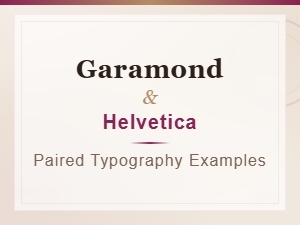 Garamond and Helvetica Typography Pairing Examples
 Luxury Brand Fonts: Pairing Garamond with Clean Sans Serif
 Garamond Font Pairing for Corporate Brand Identity
 Professional Sans Serif Fonts That Perfectly Complement Garamond